Contact us at

If you’ve been around late-model tuning for more than 10 minutes, you’ve heard the name EcuTek. BRZ/FR-S/86, WRX, GR Yaris/Corolla, MX-5, BMW, Nissan, VW/Audi MQB – EcuTek shows up over and over as the platform serious tuners use to get real control over the stock ECU. :contentReference[oaicite:0]{index=0}
But if you’re new to it, the terminology can be a mess: ECU Connect, ProECU, Bluetooth interface, dongle, flash license, RaceROM… and then you still need to pick the right kit for your car.
This guide breaks it down in plain language so you know exactly what to buy and why.
At the core, EcuTek is a tuning ecosystem that lets you recalibrate the factory ECU through the OBDII port instead of ripping it out for a standalone. The ProECU tuning suites reflash the OEM ECU in place and give tuners tools for logging and calibration. :contentReference[oaicite:1]{index=1}
On top of that base, EcuTek adds a few key pieces:
The result: you keep OEM drivability, diagnostics and safety strategies, but you gain access to the tables, maps and custom features you need to actually make power.
EcuTek really has two “faces”:
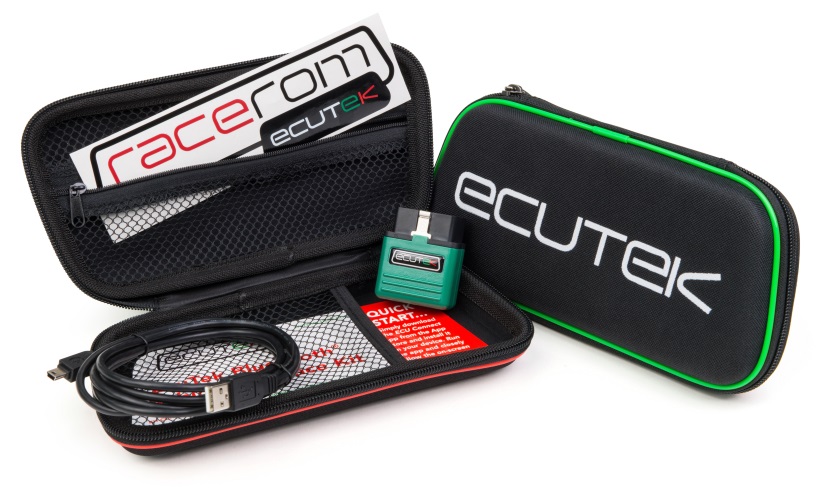
ECU Connect is the Bluetooth vehicle interface + mobile app. The Bluetooth device plugs into your OBDII port and talks to your phone or tablet via the free ECU Connect app on iOS/Android.
With ECU Connect and a tune from your tuner, you can:
Think of ECU Connect as the end-user interface: it’s about making it easy for you to flash and log your own car with help from a tuner.
ProECU is the Windows software + USB interface that tuners use to build and edit maps, perform advanced diagnostics and logging, and manage RaceROM features.
With ProECU and the right hardware, you can:
Most serious tuners live inside ProECU on a laptop, even if the end-user is flashing on their phone via ECU Connect.
This is where a lot of confusion starts. A “programming kit” usually bundles the core hardware you need to talk to the ECU.
Typical contents of a ProECU/ECU Connect programming kit include:
What’s not included unless clearly stated:
That’s why you see separate products for “Vehicle License Only” – the kit and the license are two different things.
Every car you tune with EcuTek needs at least one vehicle programming license. This license essentially “unlocks” that ECU and lets your dongle program it.
Key points:
This is why a shop might own one or two physical kits but dozens of licenses – one for each customer car they’ve tuned.
On many platforms (BRZ/FR-S/86, GT-R, GR Yaris/Corolla, etc.), EcuTek offers a layer of custom code called RaceROM. It’s essentially a set of advanced features grafted onto the stock ECU.
Depending on the car, RaceROM can add things like:
Some RaceROM packages are included for tuners, and some are optional upgrades for retail customers with a ProECU kit. Either way, it’s a big part of why people pick EcuTek for modern turbo cars.
If you’ve got one car you want to tune (Subaru, GR, MX-5, etc.), here’s the clean, low-drama setup most people should aim for:
This combination gives you phone-based flashing and logging, plus all the RaceROM goodness your platform supports – without carrying a laptop around.
If you’re tuning multiple cars or building your own maps, you’ll want to lean into the laptop side of things:
From there you can decide how deep you want to go with RaceROM, flex-fuel, multi-map setups, and so on.
A few patterns we see over and over:
EcuTek isn’t magic – it’s just a very powerful way to get inside the OEM ECU without giving up the things you actually like about your car day to day. Once you understand how the pieces fit together, choosing the right kit, license and dongle is straightforward.
Short version:
If you’re still unsure what to buy for your specific build, reach out with your car, mods, and goals. We’ll tell you what’s overkill, what’s not enough, and what actually makes sense for how you drive.
Leave a comment